
Thank you for being with me all these time.
This blog address will be shut down in near future.
All active sharing will be moved to http://botaksam.blogspot.com/
Feel free to come back!
Traditional bOOtcamp with usb ODD
After partitioning the HDD and machine restart, "No bootable device -- insert boot disk and press any key" Normally this is the part where I start preparing my coffee where it should be "Press anykey to boot from CD or DVD..."

Some may try change installer disc, change ODD drive, update apple software or even redo partition, well....
Following are what I have tried on a new macbook air (mid 2010). Lets just put a side EFI issue/update or Software Update as Apple would recommend to do so before we start. (Also many thanks to posted sites for knowledge and skill sharing)
Amazing google search result for "macbook windows 7 installer" or "macbook installing windows 7" will list you many results and numbers of ways to do this but what if it won't work as it should, error message everywhere or simply we can't understand what it says...
USB installer - Creating
You are going to need this rEFIt tool kit for the boot menu beside holding the "option (alt)" key all the time for boot disc including the usb pen drive selection. (download here)
Diskpart method
Using some simple DOS command and things to have for start are Pen Drive (4GB); Windows 7 Installer DVD and here's the guides link.

My result was it couldn't mount the pen drive and have 3 different pen drive same result. So.. next!
Windows 7 USB DVD tool
A windows base interface tool kit. (download here) You will also need a 4GB pen drive, windows 7 ISO file.
Unfortunately I was stuck at the ISO loading step. I have these 3 ISO files 1 was downloaded from web, 2 were created from DVD installer, all no luck... Next!
WinToFlash tool
Also a windows base tool kit. (download here) And finally I get it done here :P
It will cover the manual DOS command making the pen drive bootable, all it takes is to select which OS, destination pen drive drive letter and OS source drive letter (no iso file required). Good luck to you!


There's an old joke in this town. "Try not to trust two profession, a used car dealer and a computer guy" *_* No offend if you are in used car business ya, just an old saying but I in a way sometimes I can't disagree with the second quo even I'm an IT support personnel. Why?
Here's come the drew (Commonly, there are still many good guys around ^_^)
When you happily purchased your very first new PC from used up all your daily saving *_* then by not knowing the different between Free DOS and the term of only Vista Pre-load, you'll find there's no MS Office, Word processing, Spreadsheet, Anti Virus or even freeware like Adobe Reader. You'll be receiving a bill for additional software purchase and installed.
Later you find you need a printer for school project and he will charge you for not knowing how to install the driver even it was purchased from him. Later when paper jam, don't call. DIY, saved a bill.
Internet was funs to explore, after a while of usage then hit by viruses. The first service you "might" have a free voucher but he'll give you a bill even your machine was just virus wash up from first service but now still with trOjan around your machine by didn't know beside viruses there are also spyware, ad-aware, malware, grayware, hijack... and treats from pen drive.
Your brother at home who share the wifi also making some noises about internet so damn slow, perhaps the IT guys didn't advise a proper modem. After phone here and there and charging you for the on-site trouble shooting, who knows later found out was the ISP line issue.
Great, you already know all these treats, no internet no life man. Well...
Anyway, now comes another fun part, he will also bill you even not doing anything when he brought along a power supply attending your on call request when you said "my machine won't on" but turn out you actually meant "my system can't boot up and reach desktop and having this blue screen"

Assuming you already get the pictures but later end of the year you can't enjoy the newly launch games just like your friends. I know, I know your mom will say "This is going to be your next year christmas gift!! "
Finally you gave up studying or using computers and look forward in Manufacturing perhaps, a better chance to make a fortune. After years of hard work, you now runs your very own company and signing your own cheques prepared by your secretary.
DEJAVU!
Some of those cheque you sign are for several invoices for setting up your company email and file sharing usage itemize in such: Installation Windows Server $xxx, Setup FTP $xxx, Configure Web Server $xxx, MS Exchange $xxx, SQL $xxx plus xx Hours Workmanship $xxx... LOL
The very first moment knowing the spirit of typing "dir" and press enter using an AT keyboard from an 8088 machine with an old mono monitor make me fall in love with computers. (Today we can just double click LOL). I'm IT addicted since then and I do get most of the blems... ha! Happiness, sadness, stress... all because of passionate.
Lately, my senior technician has left. All the best to him, believing in your heart, passion we must have.
PS: My Bill and Invoice are in orange color, shining color, you won't miss it.
After manage installing iDeneb 10.5.5 on NB200, although the wireless doesn't work but this NB200 looks pretty cool after I have hands on with MSI, HP, Dell, Asus and Sony. The brownish version just look great! So, I decided to get one for my kids along I can used it with OSx. But after a while of usage, discover numbers of times applications just close unexpectedly and gaving error message.
After few times of try fixing those kext files, I give up... so decided to try out the new iATKOS v7 where integrated with 10.5.7. It is much more easier to install and less error (so far lol). Let's just put a side of the atheros wireless, it runs quite smooth and so far applications has not giving problems even in multitasking.
I'm guessing I might have installed unnecessary drivers while installing iDeneb, thinking of like windows to integrate as many drivers to the installer, less disc usage as possible. Anyway, got some good advise out here, so this time I choose drivers carefully with these few important hardware that NB200 equip. You may also find iATKOS came with showing hardware informations features while preparing to install, you can find it from the menu bar "Utilities" and customize what to installation later.
Chipset, not much to worry with intel chipset.
Wireless, already test by numbers which doesn't work with the new AR9x series
Audio, intel and realtek codec, leave to default. Earlier I added in azalia
LAN, realtek. pick all realtek will do.
Video, intel. It only gave 800x600 resolution even selected 950 or 31x but you can update the kext to Quartz Extreme from the same Essential Pack using same steps as earlier post. (but I discover it won't work with 1200 resolution when finished install and after restart but it will when after installing the bluetooth)
Bluetooth, toshiba stack. Same steps of installation as earlier post.
The most I like is that it also came with chameleon boot loader. Graphical boot menu to select booting from OSx or Windows. Don't have to edit boot.ini from windows. If you have your ideneb and windows installed along with created 3rd partition as Data drive, don't worry. It won't crash both the Windows and Data partitions. Recommended to format the Mac partition when installing as not to used up spaces. I had this mistake by didn't format the Mac partition as I only partition it around 30GB and another 30GB for windows and balance for Data Drive.
I also used this command line to change the default boot OS back to windows (by default is OSx selected). Edit /Library/Preferences/SystemConfiguration/com.apple.Boot.plist and add the Default Partition key with string hd(0,2) where the 0 is hard drive number and 2 is the second partition that belong to windows. (if your partition sequence is Mac, Windows and Data)
**this project is for study purpose only, try at own risk**
Others guides
Earlier this morning I help a friend to try out installing OSx (iDeneb 10.5.5) on his newly Toshiba NB200. So far didn't find much references for NB200 but I used NB205 to begin with and beside the in built Atheros chipset wireless doesn't work which so far still no solutions unless replace with realtek or broadcom cards.
**this project is for study purpose only, try at own risk**
The last notebook used was iBook G4 but of cause netbook is so much cheaper and with all the help around, HackintOsh is no longer just a dream ^_^ .The first prefer running OS was only Mac but since the wireless won't work so I went trying second option dual boot XP and Mac before going back with the original preloaded XP Home if fail.
So, got some very important guides and help out here, millions thanks to iDeneb, wingzero619, calibre97 and Jesse. You'll find very useful steps and tips for your projects, to summaries before you begin, these are the keys:
Things to begin with,
*iDeneb v1.3 10.5.5 DVD
*XP Home or Pro CD and chain0 file, saved it to pen drive for dual boot
*ToshibaNB205EssentialPackage2.zip
Steps I used,
*Created the NB200 recovery disc from its preloaded toshiba software for future use if plan to move back to the preloaded XP Home. The unit doesn't came with any recovery CD/DVD, later during the Mac process will have to delete the partition, best to make a copy before continue, 2 DVDs required.
*Preparing partitions, 3 partitions I created booting from iDeneb DVD, first partition for Mac, second for XP and last for Data with your own choice of size. It is always a good option to partitions the HDD to 3 when preparing a dual boot system, don't have to worries about data. Here's the guide and best to format the Data drive partition to FAT so both Mac and Windows can access it.
*Restart from Disk Utilities after created those partitions, boot from XP disc and install, when finished modify the boot.ini file by adding c:\chain0=”Mac OS X” at the end of the .ini file (also refer to Jesse's Weblog for doing this). Restart and begin with iDeneb OSx installation.
*Installing iDeneb, a guide from calibre97 or download this text file and print out for references.
*Installing Drivers. When both done, left drivers to finish up. Should not be any problems for XP drivers, you can find them here (Toshiba Asia Download Site). For Mac, use steps given above and those zip files downloaded earlier.


Today IT, the best things we enjoy most if I may say so are Internet and lovely USB. Traditionally from usb mouse, printer, webcam, pen drive until today usb bootable drive! Informative, enjoyment and fantastic tips from internet when google around, more knowledge gain.
It is not a secret more and more user manage to install and runs mac OSx from ordinary pc with latest Core2Duo system. Initially many setup was fail due to drivers or hardware incompatible issue but thanks to those OSx team out there (life is meaningless without you guys, ya!), improvement & improvement cheers up many user like us from guides, tips and sharing until today there are many version can be found.
In today sharing, I manage to setup OSx for a friend running Kalway 10.5.2 build. (friends, please understand this is illegal and for trail and studies purpose only ^_^ ) Hardware used are C2D 2.4GHz, Gigabyte G31M-ES2L, 4GB DDR2 with nVidia 8400GS. Everything works fine in my place but we get this loading error screen when it was in my friend place. His respond was surprise for first time seeing this display and mine was disappointed as this could be hardware or drivers incompatible problems and we might have to check piece by piece or redo the software again.

Final result, we managed to solve this by just unplug his usb universal memory card reader (there's a 2GB memory attached also). As I mention earlier, we can boot up a system by just using a bootable usb pen drive or external hard drive (for some bios, it recognize the 2GB memory card as a pen drive). Simple as that...
This may also happens to windows base system, where another symptom is that the OS will load extra longer if there's a usb memory card, pen drive or external hdd attached to it. Anyway, hope this sharing help. Long live hackintosh :p Others informations on Kalway 10.5.2 (don't ask me where to download this torrent, you might know better than me *_* )
kalyway 10.5.2 is good than iatkos 10.5.4
kalway on Gigabyte GA-P35-DS3P/DS3R/DS4


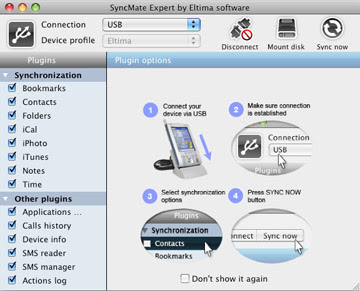
BOOT.EXE This is a high risk trojan and should be removed from your system. Basically it will disable the Windows Task Manager, Registry Edit and worse it won't allow to reinstall (mostly your Anti Virus will crash at this time) or install any new Anti Viruses.
Some Tips to share today and it apply to Windows XP and remember to backup your stuff. Hope it works for you before you get the Blue Screen. Your system must still able to connect to internet, there are some updates need to be download before scanning and fixing these problems.
Step 1, Turning off the system restore. You can find this in Control Panel and look for System. You can temporary skip this part if you get an error message saying Administrator has disable it.
Step 2, Cleaning Junks. Uninstall all those free games which downloaded from internet, also uninstall any Anti-Spyware Anti-Malware. Only left those which you really need. ie: MS Office, Nero, WinZip etc. Then run a system clean up using a utility program to clear the junk stuff. If you don't have any, try this freeware Glary Utilities. Simply run the 1-Click Maintenance.
Step 3, Free up resources being used. This is to temporary remove/disable some auto load items during the windows startup to free some resources being used and this will speed up the process you are going do later. They are two way of doing this, traditionally using the windows in built MSCONFIG. Click Start and select Run, type MSCONFIG and click ok. Click on the Startup column and you'll get a picture something like this.

If your MSCONFIG any how won't work and you are getting an error message says it has been disable by the windows administrator then you have to use the second method by running the Startup Manager from a utilities program like above mention Glary Utilities, also un-check the box on the left. Here you may notice it gives more details for each item in the Name column. Restart your system when you are done.
Step 4, Install, Update, Scan & Kill with some useful Anti Spyware AND Anti-Malware tools. Try these freebies, Malwarebyte and Spyware Doctor Starter. Best results are to update the latest database after install and run scan one by one.
Step 5, Viruses Scan and Kill. In many cases viruses are tight to trojan; adware or spyware to "re-produce" new threat, the best to do this if you are done with step 4. When done, restart your system.
By now you should be able turn off the system restore if you unable to do so earlier. Repeat step 4 and 5 then restart system again. By no luck if you a are still unable to get into system properties, try this tools PRT and RPT, follow the on screen instructions. Good Luck!


